
General information
Using the PRG 100 programming device, the NRT can be configured on-site through a menu-guided interface.
Accessing the configuration
-
Insert the programming cable of the PRG 100 into the “TERMINAL” socket of the NRT.
-
Press the service button.
-
Switch on the programming device and press the ✕ key.
-
The display shows the following message:
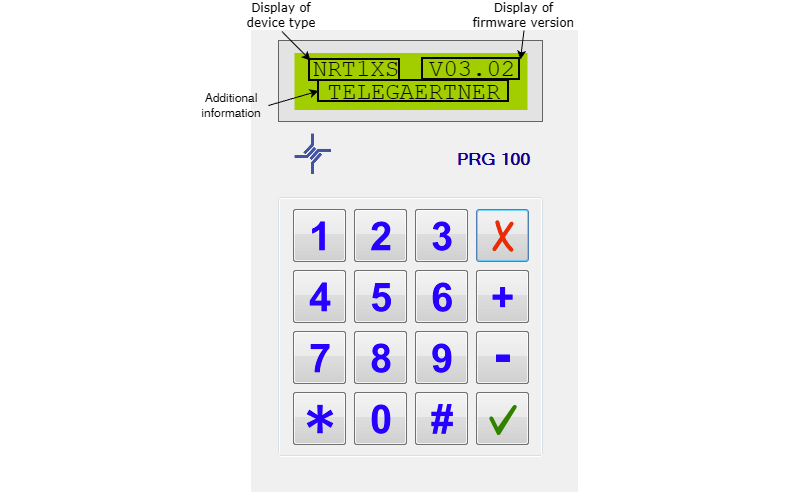
Navigation through the menus
-
Navigation
-
Use “+” and “–” to scroll through the menu entries.
-
-
Open submenu
-
If a menu entry shows “?” (e.g. “Settings?”), press ✓.
-
-
Change value
-
Select the desired entry.
-
Press ✓ (cursor starts blinking).
-
Use “+”/“–” to set the new value.
-
Confirm with ✓.
-
-
Cancel & return
-
Press ✕ to cancel the input or return to the main menu.
-