
The WEARwatcher device can be easily configured by the user via an integrated web interface. To connect to the web interface a LAN connection on IP address 192.168.0.33 is required.
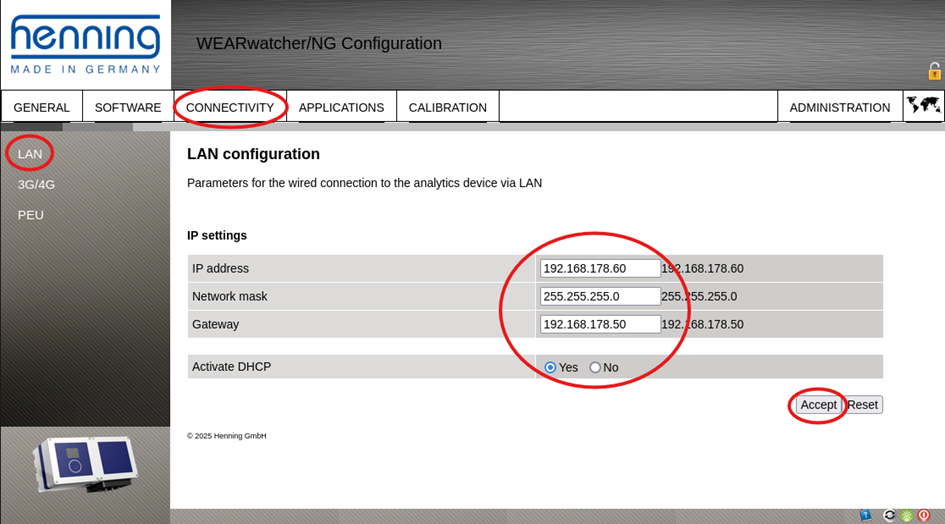
Once connection is established, go to the CONNECTIVITY tab and select LAN from the sub menu on the left-hand side
-
Enter the new IP address as follows:
-
IP address: 192.168.178.60
-
Network Mask: 255.255.225.0
-
Gateway: 192.168.178.50
-
Activate DHCP: Yes (intentionally)
-
-
Confirm it with the Accept-Button
ATTENTION: Once you have pressed the Accept-Button, the new IP address is activated. You must switch from the initial IP 192.168.0.33 to the new IP 192.168.178.60 to access the web interface again
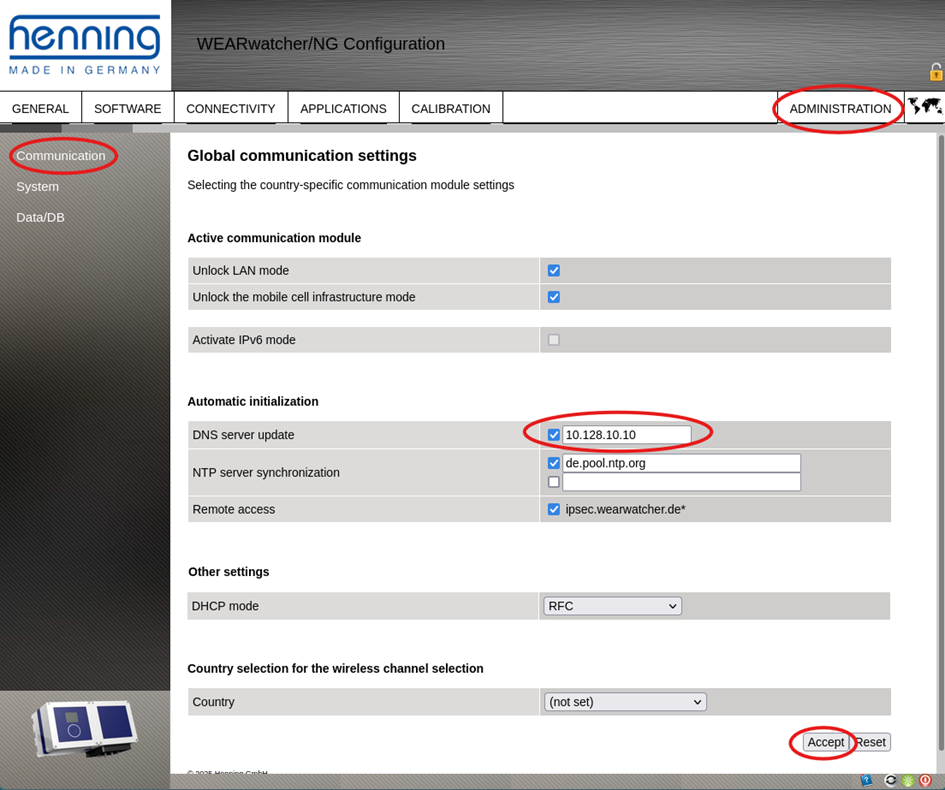
After accessing the web interface via the new IP address again, go to the ADMINISTRATION page and enter the DNS server address 10.128.10.10 .
Reboot the device by click on the green circled button in the lower right corner
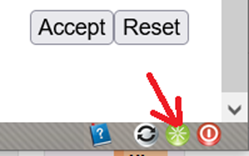
The device will reboot and once you have connected the IPG 14x Gateway via LAN to the WEARwatcher will establish its connection via the IPG 14x Gateway.